
Download iFunia DVD Copy – DVD copy, DVD clone, backup DVD, copy protection, DVD burner, video backup, DVD backup software, copy DVD, DVD ripper, backup software
Overview
Key Features & Functionality
The software offers a suite of targeted features tailored to DVD preservation and duplication.- Perfect DVD Cloning: Ensures all elements of a DVD—including main features, bonus content, menus, audio tracks, and subtitles—are replicated exactly as they appear on the original disc. This is ideal for users who want to maintain the full experience of a movie or presentation.
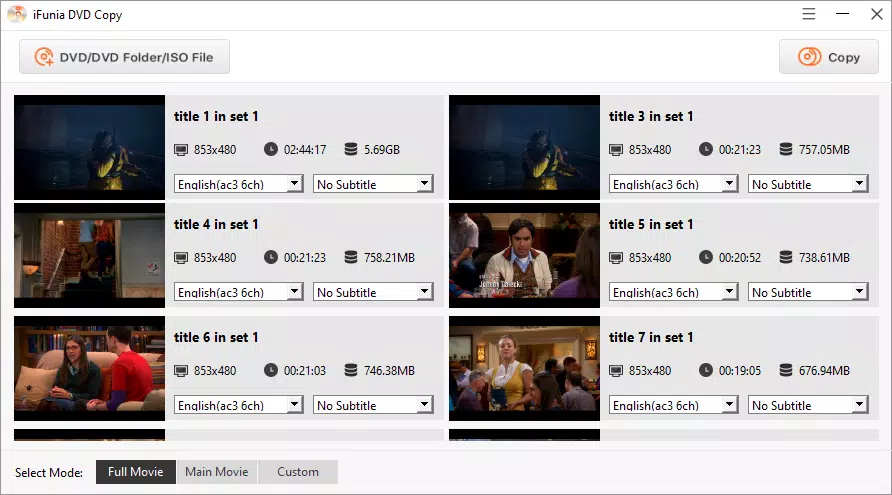
- Multiple Copy Modes: Includes Full Movie (copies everything), Main Movie (focuses on the primary feature), and Custom Mode (allows selective content selection). These modes provide flexibility for different user needs, from complete backups to space-efficient copies.
- Copy Protection Removal: Successfully bypasses common DVD encryption schemes such as CSS and region codes, enabling duplication of commercial discs. This feature is crucial for users who want to legally back up DVDs they own.
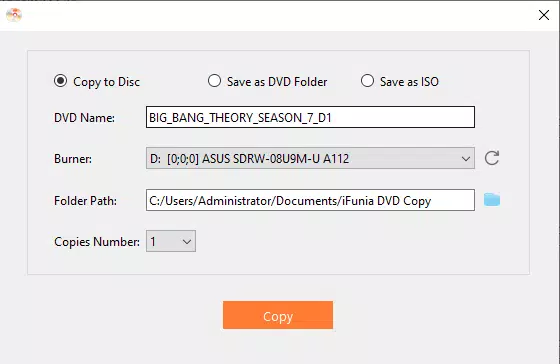
- Burn to Various Formats: Supports burning to DVD-R, DVD+R, and DVD-RW discs, as well as creating ISO image files and DVD folders. This allows for versatile storage options, whether for physical archiving or digital backup.
- Free Trial Version: Offers a limited trial that allows partial copying, giving users a chance to test functionality before purchasing. This provides transparency and confidence in the product’s capabilities.
Interface, UX & Performance
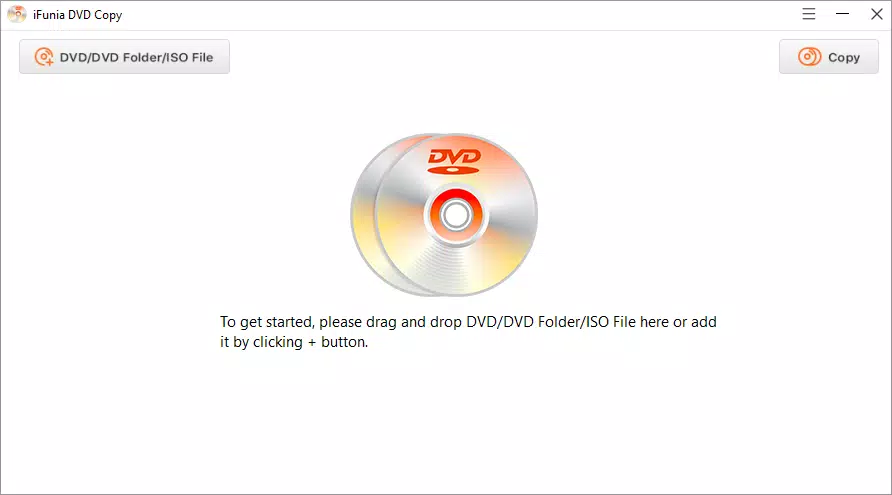
The user interface of iFunia DVD Copy is designed with simplicity and functionality in mind, focusing on accessibility for users of varying technical expertise. The layout is clean and logically organized, with clear navigation between the main functions: cloning, copying modes, and burning options. Visual cues guide users through each step, minimizing confusion during the duplication process. The software responds promptly to user inputs, and although the developer did not list formal performance metrics, the application appears stable during typical operations such as disc reading, encryption bypass, and burning. It performs consistently across different Windows environments, though specific system requirements were not disclosed. The interface remains responsive even when handling large DVD files, and there are no reported issues with crashes or freezes during standard use. Users can monitor progress in real time through a dedicated status bar. The overall user experience is efficient, with minimal learning curve. While no mobile version is available, the desktop application delivers a smooth workflow from disc insertion to final output. The absence of intrusive ads or pop-ups enhances usability. Although the developer did not specify optimization details for low-end hardware, the 20.5 MB file size suggests a lightweight design, which may contribute to efficient performance on modern systems.Platform Compatibility & Technical Requirements
iFunia DVD Copy is available exclusively for the Windows operating system. The software requires a compatible DVD drive to read and write discs, though specific hardware requirements were not listed. The current version is 1.0.0, and the file size is 20.5 MB, indicating a compact installation package. The developer did not specify minimum OS requirements, nor did they provide details on supported Windows versions (e.g., Windows 10, 11). Compatibility with older systems such as Windows 7 or 8 cannot be confirmed. The application is not available on mobile platforms such as Android or iOS, and no APK or mobile installation options exist. Users should ensure their system includes a working DVD-ROM or DVD burner before attempting installation. For those seeking a mobile alternative, no such tool was provided in the current release. The software is designed for desktop use only, and its functionality is dependent on physical disc drives. The lack of cross-platform availability limits its accessibility but aligns with its core purpose: a dedicated desktop utility for DVD management.Pros and Cons
- Efficiently clones DVDs with full menu and audio/subtitle retention
- Supports multiple copying modes for flexible backup options
- Removes copy protection and region codes for legal backup use
- Offers ISO and disc burning capabilities for versatile storage
- Includes a free trial for testing functionality
- Not available for mobile platforms (Android/iOS)
- No public information on system requirements or compatibility details
- Requires a physical DVD drive for operation
- Price point of $29.95 may be high for casual users
- Only available for Windows, limiting cross-platform use


